Orca
A free tool that lets you run several AI coding assistants on the same problem at once, each working in its own isolated copy of your code, so you can compare their different solutions and pick (or merge) the best one.
🔗 Visit Orca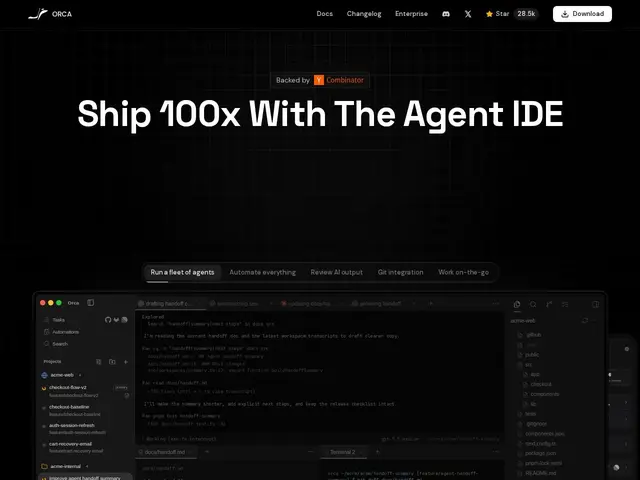
Description
When you ask one AI coding agent to solve a problem, you get one solution — but AI agents are non-deterministic, and a different run, or a different agent entirely, might produce a meaningfully better result. Orca lets you fire off the same task to multiple coding agents simultaneously, each working in its own isolated git worktree so they don't interfere with each other, then lets you compare the different approaches side by side and merge the parts you like.
Orca is a free, open-source (MIT license, ~28,500 GitHub stars, built by Stably AI) orchestration tool for running multiple coding agents in parallel across isolated git worktrees, with built-in comparison and merging of results. It's cross-platform (macOS, Windows, Linux) with dedicated mobile apps (iOS App Store, TestFlight, Android APK), is under active development with a reported daily shipping cadence, and has accumulated over 7,000 commits and around 2,000 forks.
💬 Our review
The short version: if you're already running multiple AI coding agents and juggling their outputs manually, Orca's parallel-worktree orchestration with built-in comparison is a genuinely useful productivity layer on top of tools you're likely already using.
The git-worktree isolation approach is the technically sound way to do this — running multiple agents against the same working directory would create constant conflicts, so isolating each in its own worktree and merging deliberately afterward is the right architecture. A daily shipping cadence and mobile apps suggest an actively maintained, well-resourced project (built by a named company, Stably AI, not a weekend hack), which is reassuring for a tool you'd rely on daily. The tradeoff is that running multiple agents in parallel on the same task multiplies your AI API costs by however many agents you run — worth it if the better output justifies the extra spend, wasteful if you're just running the same agent multiple times hoping for a better roll.
💰 Pricing
📊 Global score
🤖 AI-enriched data
Entièrement gratuit et open source (licence MIT). Les coûts d'API des agents IA utilisés restent à la charge de l'utilisateur.
Pros
Gratuit, open source, développé par une entreprise identifiée (Stably AI)
Isolation propre via git worktrees, architecture technique solide
Multi-plateforme avec applications mobiles dédiées
Cadence de développement quotidienne, projet activement maintenu
Cons
Multiplie les coûts d'API IA par le nombre d'agents lancés en parallèle
954 issues ouvertes signalées, à surveiller pour la stabilité
Utile seulement si on utilise déjà plusieurs agents de code
Courbe d'apprentissage pour le workflow de comparaison/fusion