Superfile
A free file browser you use inside a terminal window instead of clicking through folders with a mouse — but made to look and feel modern, with themes and shortcuts, unlike the plain, dated file managers most terminals ship with.
🔗 Visit Superfile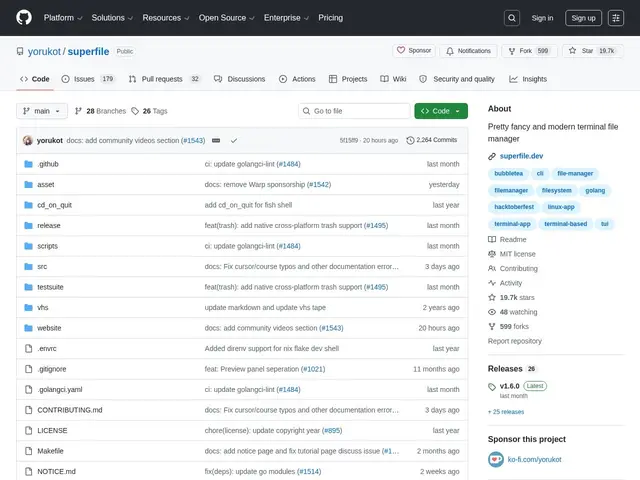
Description
Command-line users often navigate files with basic commands like `cd` and `ls`, which works but gives no visual overview of a folder's contents. Superfile is a full file manager that runs inside the terminal, giving you a visual, navigable interface — folders, previews, multi-pane views — without leaving the keyboard-driven, mouse-free workflow terminal users prefer.
Superfile is a free, open-source (MIT license, ~19,700 GitHub stars) terminal-based file manager written in Go, built on the BubbleTea TUI (text user interface) framework. It's cross-platform (Linux, macOS, Windows), supports a plugin system for extending functionality, offers customizable themes, configurable hotkeys including an optional vim-mode for vim users, and includes auto-update functionality to stay current.
💬 Our review
The short version: if you live in a terminal and want a file manager that looks modern and feels fast rather than the dated defaults most systems ship with, Superfile is a well-built, actively developed option worth trying.
Against established terminal file managers like ranger (Python-based) or nnn (extremely minimal, C-based), Superfile's edge is polish — themes, a plugin system, and a more approachable learning curve for people newer to terminal-based tools, at the cost of being a heavier, younger project than nnn's decade-plus track record of stability. Its nearly 20,000 GitHub stars for a project with broad cross-platform support suggests real, sustained community adoption rather than a flash-in-the-pan trend. For someone who wants a good-looking, extensible terminal file manager without deep customization effort, it's a strong default; for a minimalist who wants the smallest possible footprint, nnn remains the leaner choice.
💰 Pricing
📊 Global score
🤖 AI-enriched data
Entièrement gratuit et open source (licence MIT).
Pros
Gratuit, open source, multi-plateforme (Linux, macOS, Windows)
Interface moderne et personnalisable (thèmes, système de plugins)
Mode vim optionnel pour les raccourcis clavier
Communauté déjà large (19 700+ étoiles)
Cons
Plus lourd que des alternatives minimalistes comme nnn
Moins de recul en production que ranger, établi depuis longtemps
Nécessite d'être à l'aise avec un usage terminal
Système de plugins encore jeune comparé aux écosystèmes matures