Documentation.AI
Product documentation usually goes stale the moment a feature changes, because someone has to remember to update it — Documentation.AI tries to close that gap by watching your product and support signals and suggesting doc updates automatically, while als
🔗 Visit Documentation.AI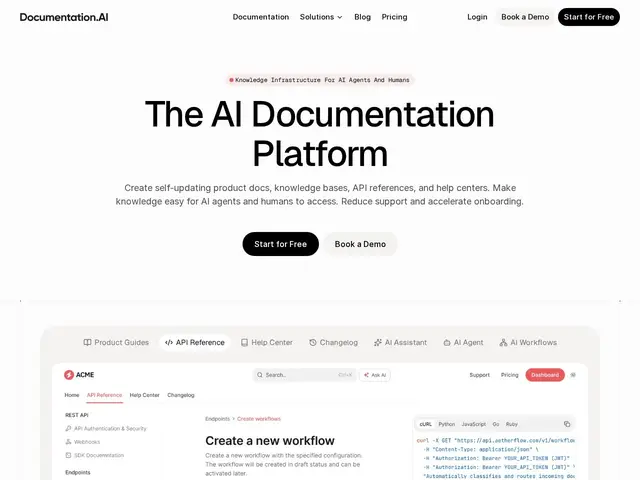
Description
Documentation is chronically out of date in most companies, not because writers are careless but because keeping docs in sync with a fast-moving product is genuinely hard manual work — someone has to notice a change happened and go update the relevant page. Documentation.AI tries to automate that noticing-and-updating loop, while also solving a newer problem: making sure docs are readable by AI tools, not just humans.
Documentation.AI is an AI-native documentation platform for product docs, API references, help centers, and knowledge bases. An AI Documentation Agent watches for product changes and suggests doc updates, an in-doc AI assistant answers reader questions with cited sources, and content is automatically structured for precise LLM chunking, including an auto-generated llms.txt file that lets AI agents access your documentation directly. It supports both a visual editor and docs-as-code workflows, includes an interactive API playground for testing endpoints, and ships a Model Context Protocol server so tools like Cursor, Windsurf, and GitHub Copilot can pull documentation context directly. It competes in the same space as Mintlify, GitBook, ReadMe, and Document360.
💬 Our review
The short version: if keeping documentation current has become a real drag on your team, and you also want your docs readable by AI coding assistants (not just human developers), Documentation.AI's dual focus on auto-updating content and AI/MCP-native formatting is a genuinely current, well-timed feature set.
Against Mintlify (the most commonly recommended docs-as-code tool in 2026, used by Anthropic and Cursor themselves) and ReadMe (stronger on developer engagement features), Documentation.AI's differentiator is the AI Documentation Agent that proactively suggests updates rather than just hosting docs-as-code — that's a meaningfully different workflow, not just a styling difference. At $55-159/month for Standard and Pro tiers, it's competitively priced against Mintlify and ReadMe's comparable plans, and the free Starter tier (10,000 AI credits, no credit card) is a genuinely usable way to test it, not just a crippled trial. Worth strong consideration for any team that has felt the pain of manually chasing doc staleness; teams happy with Mintlify's docs-as-code workflow specifically may not find enough reason to migrate.
💰 Pricing
📊 Global score
🤖 AI-enriched data
Starter (gratuit) : $0/mois, 10 000 crédits IA, sans carte bancaire. Standard : $55/mois (facturé annuellement), 10 000 crédits/mois, 3 sièges éditeur, 2 sites. Pro : $159/mois (facturé annuellement), 30 000 crédits/mois, 10 sièges, 4 sites. Enterprise : sur devis, SSO/SAML/OIDC.
Pros
Agent IA qui suggère des mises à jour de doc en lien avec les changements produit
llms.txt auto-généré + serveur MCP pour Cursor/Windsurf/Copilot
Éditeur visuel ET workflow docs-as-code
Plan gratuit utilisable (10 000 crédits, sans CB)
Cons
Marché déjà occupé par Mintlify (référence 2026) et ReadMe
Migration depuis un workflow docs-as-code existant demande un effort
Fonctionnalités avancées (SSO, login privé) réservées aux plans payants