Wonder
A design canvas where an AI agent sits next to you and builds interfaces, graphics, and slide decks with you — and unlike most design tools, what you draw isn't a picture of an app, it IS the app: every design maps 1:1 to real React and Tailwind code, so
🔗 Visit Wonder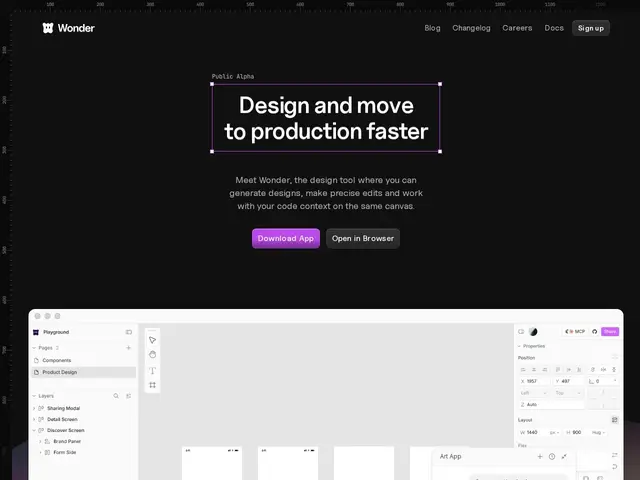
Description
The usual design workflow has a costly translation step: a designer builds a mockup in a tool like Figma, and then a developer has to rebuild that mockup as actual working code — a process that eats time and often introduces small inconsistencies between the design and the shipped product. Wonder collapses that gap by making the design canvas and the code the same thing, so what you see while designing is exactly what ships.
Wonder is a design tool with an AI agent built directly into the canvas: you can generate UI, graphics, and pitch decks, then select any element to refine it in real time, either by prompting the agent or editing directly. It produces real React and Tailwind CSS (or plain CSS) code from every design, and connects via MCP to coding agents like Cursor and Claude Code, so a team can go from a Wonder canvas straight into an existing codebase. It won Product Hunt's "Launch of the Day" on April 30, 2026 and remains in public alpha, meaning the product and its feature set are still evolving quickly.
💬 Our review
The short version: Wonder is worth trying if your team is tired of the design-to-code handoff eating days of engineering time — the 1:1 design-to-code mapping and MCP integration with Cursor/Claude Code is a genuinely different approach from Figma-plus-manual-rebuild.
The most direct comparisons are Framer (which has pivoted hard into design-to-website, publishing directly) and Figma Make (Figma's own prompt-to-prototype feature) — both chase the same "skip the handoff" goal. Wonder's edge is that it targets arbitrary React/Tailwind codebases rather than locking you into a hosted website platform like Framer, which matters if your product is more than a marketing site. At $16-20/user/month it's priced in line with Framer and well under most enterprise design tooling, and the free tier is fine for testing the workflow before committing a team to it. The honest caveat: it's still public alpha, so expect rough edges, evolving pricing, and less production-hardening than Figma, which has a decade of enterprise use behind it — evaluate it as a promising but young tool, not a drop-in Figma replacement yet.
💰 Pricing
📊 Global score
🤖 AI-enriched data
Free : $0/mois, tokens IA limités, 3 fichiers privés max. Pro : $16/utilisateur/mois (annuel) ou $20/mois (mensuel). Enterprise : sur devis, SSO.
Pros
Mapping 1:1 entre le design et le code React/Tailwind réel
Agent IA directement sur le canevas, édition en temps réel
Intégration MCP avec Cursor et Claude Code
Launch of the Day sur Product Hunt (30 avril 2026)
Cons
Encore en alpha publique, produit jeune et évolutif
Moins de recul en production que Figma
Tokens IA limités sur le plan gratuit (3 fichiers privés max)