Alloy
A browser extension that takes a snapshot of your actual live product — not a blank canvas — so a product manager can describe a change in plain English and see it applied to a real, clickable copy of the app, without waiting on a designer or developer to
🔗 Visit Alloy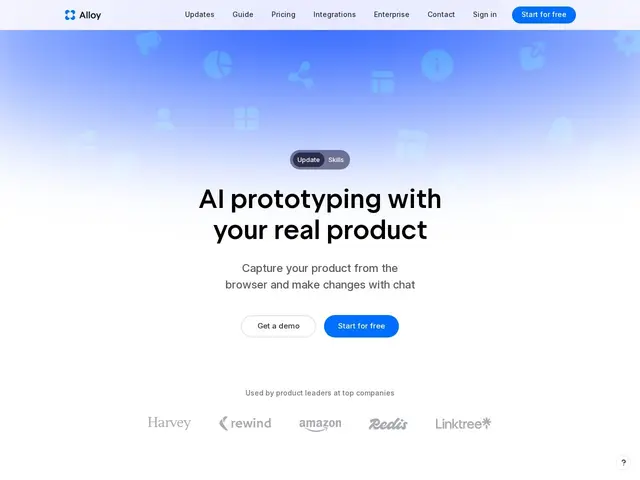
Description
Normally, if a product manager wants to show a new feature idea, they either sketch it in a design tool that looks nothing like the real product, or they wait for an engineer to build a rough version — both slow, and neither shows stakeholders exactly what the shipped feature would look like. Alloy skips that gap: a browser extension captures your actual live web app, and from there you just type what you want changed, and it edits a working copy you can click through and share.
Alloy is an AI prototyping tool built specifically for product managers and product leaders, not designers. It captures a live web product through a browser extension — no importing a Figma file or existing design system required — then lets you modify it through natural-language prompts, with a visual editor available when you need finer control. Multiple pages from the same app can be captured together into one prototype, and interactive elements like dropdowns and menus are captured as real, editable states. Finished prototypes can be shared via a link, and on paid plans the resulting code can be exported and pushed straight to GitHub. It integrates with Figma (import/export) and workspace tools like Linear, Jira, Slack, and Intercom, and is SOC 2 Type II certified.
💬 Our review
The short version: if you're a PM who's tired of static mockups that don't match the real product, Alloy lets you prototype directly on top of what's actually live — genuinely useful for stakeholder buy-in and usability testing before any code gets written for real.
The closest comparisons are general AI prototyping tools like v0 or Lovable, which generate a new app from scratch rather than starting from your existing live product — Alloy's differentiator is that it captures what's already there, so the prototype looks and feels exactly like your product instead of an approximation. That's a real advantage when the goal is testing a change with actual users or getting sign-off from stakeholders who know the product well. The free tier is workable for occasional prototyping ($5/user/month in credits, unlimited viewers), and $20/user/month for code export is reasonable next to design-only tools that can't produce anything shippable. The honest limitation: this is a prototyping layer, not a design system builder — if you need to establish new visual language or a component library from scratch, this isn't the right tool, and the browser-extension capture approach means it works best on already-built web products rather than net-new ideas.
💰 Pricing
📊 Global score
🤖 AI-enriched data
Free : $0/mois, $5 crédits/utilisateur/mois, viewers illimités. Pro : $20/utilisateur/mois, $20 crédits/utilisateur/mois, export de code. Enterprise : sur devis, API, SAML+SCIM.
Pros
Capture le produit web réel via extension navigateur, pas un canevas vierge
Modification par prompts en langage naturel + éditeur visuel
Export de code vers GitHub sur les plans payants
Intégrations Figma, Linear, Jira, Slack, Intercom
Certifié SOC 2 Type II
Cons
Pas un outil de création de design system depuis zéro
Fonctionne mieux sur un produit web déjà existant qu'une idée neuve
Crédits limités sur le plan gratuit