Juggler
A visual, point-and-click alternative to running AI coding agents in a terminal — you can see the whole conversation as a browsable tree, inspect exactly what tool calls happened, and branch off to try a different approach without losing your place.
🔗 Visit Juggler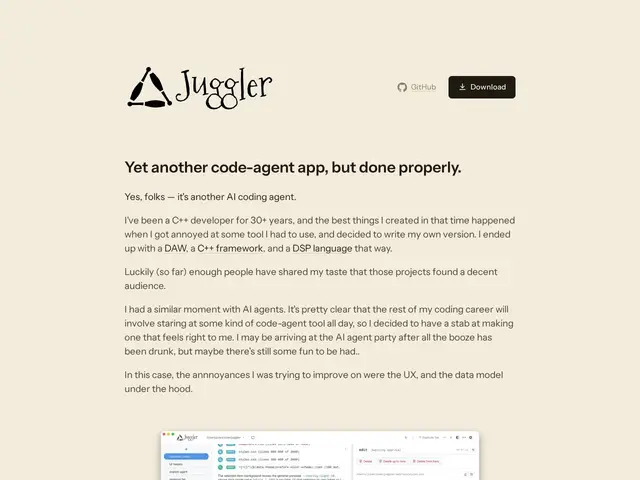
Description
Terminal-based AI coding agents like Claude Code are powerful, but the terminal is a fundamentally linear, text-only interface — hard to skim back through a long session, hard to see exactly what a tool call did, and easy to lose track of an idea you wanted to branch off and try differently. Juggler rebuilds that experience as a visual app: conversations show up as an editable tree you can click through, using a Finder-style column view to inspect any tool call, sub-thread, or piece of context.
Juggler is a free, open-source GUI desktop application for AI-assisted coding, built by the creator of JUCE, the Tracktion DAW, and the Cmajor DSP language — someone with three decades of experience building developer tooling. It presents agent conversations as a branching, editable tree with Finder-style Miller columns, letting you inspect tool calls and sub-threads and edit context directly, rather than scrolling through a flat terminal log. It supports multiple LLM providers, including Claude Code, OpenAI, Gemini, and Ollama, so it's not locked to one AI vendor. The app is free, with the core and extensions under Apache 2.0 and the main app under AGPLv3, and requires no signup.
💬 Our review
The short version: if you want to be more hands-on and visual about what an AI coding agent is doing to your codebase — rather than trusting a scrolling terminal log — Juggler gives you a genuinely different, inspectable interface, for free.
Its differentiator against terminal-native tools like Claude Code's CLI or Cline is the interaction model itself: a branching tree you can navigate and edit, built by someone with deep, proven experience designing developer-facing GUI tools (JUCE is a widely respected audio dev framework). That pedigree matters for a category where most alternatives are either pure CLI or fairly basic wrappers around one. The tradeoff is that a visual, tree-based paradigm is a genuine change in workflow — developers deeply comfortable in the terminal may find it adds friction rather than removing it, and as a newer project, it won't yet have the ecosystem maturity (integrations, community plugins) of an established terminal tool. Great fit for developers who want more visibility and control over multi-step agent sessions and don't mind a GUI app; less appealing if you're happy piping everything through a terminal already.
📊 Global score
🤖 AI-enriched data
Gratuit, open source (Apache 2.0 pour le cœur/extensions, AGPLv3 pour l'appli principale), aucune inscription requise
Pros
Interface visuelle en arbre navigable, contrairement à un log terminal linéaire
Créé par le développeur de JUCE, framework audio dev très respecté — pedigree solide
Compatible avec plusieurs fournisseurs de LLM (Claude Code, OpenAI, Gemini, Ollama)
Gratuit, open source, aucune inscription requise
Cons
Changement de workflow réel pour qui est déjà à l'aise en terminal
Écosystème (intégrations, plugins communautaires) moins mature qu'un outil terminal établi
Application desktop supplémentaire à installer et maintenir
Projet jeune, moins de retours d'usage à grande échelle