Herdr
A terminal tool that lets you run several AI coding agents at once, side by side, and keeps them running even if you close your laptop or lose your SSH connection — like tmux, but built specifically for managing AI agents.
🔗 Visit Herdr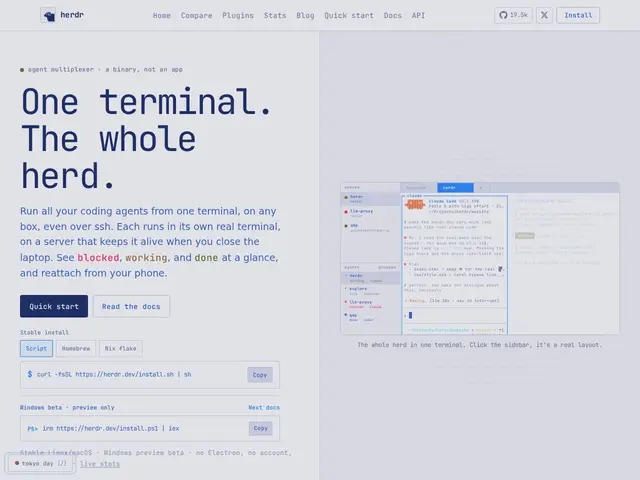
Description
Once you start using more than one AI coding agent — say, Claude Code for one task and Cursor for another — juggling them in separate terminal windows or tabs gets messy fast, and if you're working over SSH, losing the connection can kill a long-running agent task entirely. Herdr solves this the way experienced developers have solved similar problems for decades: with a terminal multiplexer, but purpose-built for AI agents instead of shell sessions.
Herdr is a free, open-source, Rust-based terminal agent multiplexer that lets you run multiple AI coding agents (Claude Code, Cursor, Copilot, and others) in real terminal panes, tabs, and workspaces within a single session. Sessions persist across disconnects — closing your laptop or losing SSH doesn't kill the agent's work — and a socket API lets agents communicate with each other. It has no Electron wrapper, requires no account, and sends no telemetry, installable via a script, Homebrew, or Nix. A plugin marketplace extends functionality further.
💬 Our review
The short version: if you're running more than one AI coding agent and tired of losing progress when your SSH connection drops or juggling a dozen terminal tabs, Herdr is a free, no-nonsense way to manage them all in one persistent session.
Its differentiator against just using tmux or Zellij directly is that it's purpose-built for AI agent workflows specifically — real terminal panes for each agent, session persistence designed around long-running agent tasks, and a socket API for agent-to-agent communication that a generic multiplexer doesn't offer out of the box. Being lightweight (no Electron, no telemetry, no account) also makes it a natural fit for developers who prefer CLI-native tools over another desktop app. The tradeoff is that it's still a terminal tool — if you want a visual, point-and-click interface for managing agents, this isn't it, and being a newer, smaller open-source project means less battle-testing than an established multiplexer like tmux. Great fit for developers comfortable in a terminal who run multiple AI agents regularly, especially over SSH; less suited to anyone who wants a GUI-first experience.
📊 Global score
🤖 AI-enriched data
100% gratuit et open source, aucun compte requis, aucune télémétrie
Pros
Sessions persistantes qui survivent à une déconnexion SSH ou fermeture d'ordinateur
Conçu spécifiquement pour orchestrer des agents IA, pas juste des shells génériques
API socket pour la communication agent-à-agent
Léger : pas d'Electron, pas de compte, pas de télémétrie
Cons
Interface terminal uniquement, pas d'option graphique pour qui préfère le point-and-click
Projet plus jeune qu'un multiplexeur établi comme tmux, moins éprouvé sur le long terme
Nécessite une aisance avec le terminal pour en tirer parti
Marketplace de plugins probablement moins fourni qu'un écosystème mature