Desktop Commander
An MCP server that lets Claude (or another AI client) actually reach into your computer — read and edit files, run terminal commands, search your codebase — instead of just talking about what you should do.
🔗 Visit Desktop Commander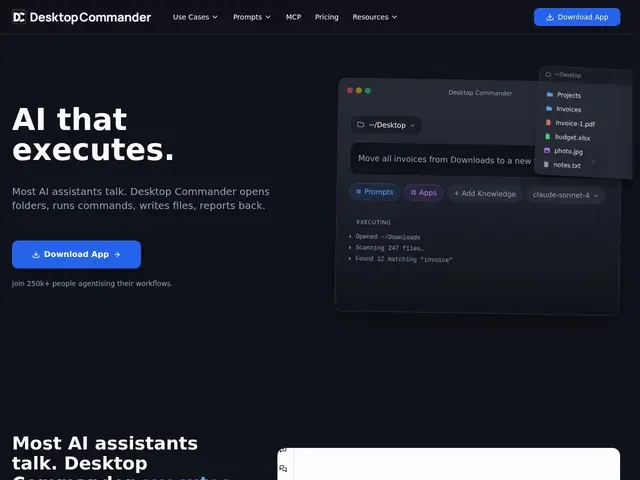
Description
By default, an AI chatbot can only tell you what commands to run or what code to write — you still have to copy it, open a terminal, and execute it yourself. Desktop Commander closes that gap: it's an extension (technically an MCP server) that gives Claude direct, local access to your terminal and file system, so it can open folders, run commands, and edit files itself, with you reviewing what it does rather than typing it in manually.
Desktop Commander is a Model Context Protocol (MCP) server that connects AI clients like Claude to your local machine, enabling terminal command execution, file reading/writing (including Excel, PDF, and DOCX), codebase search, and surgical text replacements — all running locally without uploading your files anywhere. It's aimed at developers, builders, and data analysts who want an AI assistant that can actually act on their filesystem rather than just describe actions. It runs on a credit-based subscription from $20 to $200/month, with new accounts receiving free starting credits to try it.
💬 Our review
The short version: if you're already using Claude and are tired of copy-pasting its suggested commands into a terminal yourself, Desktop Commander turns "here's what you should run" into the AI actually running it, with local execution and no file uploads.
Its edge against a general-purpose approach like Claude's own Computer Use or Open Interpreter is polish and focus: it's built specifically as an MCP server with dedicated support for structured file formats (Excel, PDF, DOCX) and surgical text editing, rather than a broader, more experimental computer-control layer. Given its substantial user base (250k+ active users reported), it's clearly proven in practice, not a toy project. The tradeoff is that giving any tool terminal and file-system access is inherently higher-stakes than a read-only assistant — you're trusting it to run commands correctly, so reviewing what it's about to do matters, and the credit-based pricing ($20-$200/month) adds an ongoing cost on top of whatever AI subscription you're already paying for the underlying model. Good fit for developers and analysts who want an AI that can act directly on their machine; overkill if you only need occasional code suggestions rather than active file/terminal control.
📊 Global score
🤖 AI-enriched data
Abonnement mensuel à base de crédits de 20$ à 200$/mois, ajustable ou annulable à tout moment ; crédits gratuits offerts à l'inscription
Pros
Exécution 100% locale, aucun fichier envoyé vers un serveur externe
Support natif de formats structurés (Excel, PDF, DOCX) en plus du code
Base d'utilisateurs importante (250k+ actifs rapportés), outil éprouvé
Recherche de code et remplacement de texte chirurgical intégrés
Cons
Donner un accès terminal/fichiers à une IA est intrinsèquement plus risqué qu'un assistant en lecture seule
Coût récurrent (20-200$/mois) en plus de l'abonnement IA sous-jacent déjà payé
Nécessite une vigilance active sur ce que l'agent s'apprête à exécuter
Limité aux clients compatibles MCP (principalement Claude)