BrowserOS
A regular web browser with an AI assistant built in, so you can tell it in plain English to summarize a page, fill out a form, or do a multi-step task online — and it does it locally, without a subscription.
🔗 Visit BrowserOS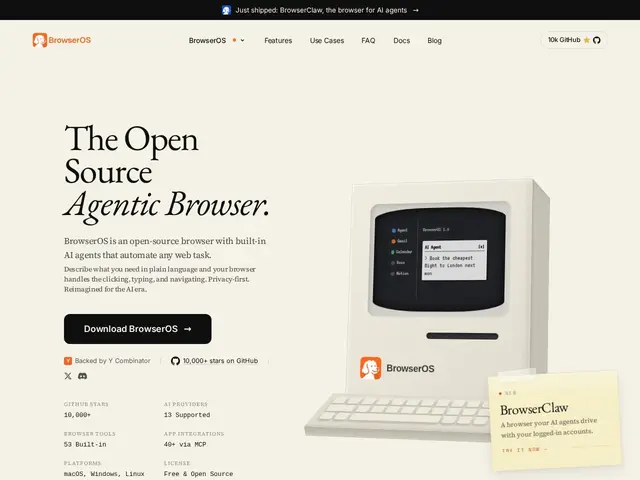
Description
Most "AI browsers" today are either a paid add-on bolted onto Chrome, or a cloud service that sends your browsing to someone else's servers. BrowserOS takes a different approach: it's a full browser you install and use every day, with an AI agent built directly into it that can act on pages for you — summarizing an article, filling in a form, or clicking through a multi-step task — while keeping everything running on your own machine.
BrowserOS is an open-source Chromium fork (AGPL-3.0) with native AI agent capabilities, positioned as a privacy-first alternative to commercial AI browsers like ChatGPT Atlas or Perplexity Comet. It supports 11+ LLM providers, including fully local models via Ollama, so you can run agent tasks without ever sending data to a cloud API if you choose. A companion project, BrowserClaw, exposes the browser to external AI coding agents (Claude Code, Cursor) via the Model Context Protocol, letting them control a real browser session — with your existing logins — to automate research or testing tasks. The core browser is free; costs only appear if you choose a paid model provider like OpenAI or Anthropic for the AI features.
💬 Our review
The short version: if you want an AI agent that can act on web pages for you — filling forms, summarizing, running multi-step browsing tasks — without paying a subscription or sending your browsing history to a vendor's cloud, BrowserOS is a genuinely compelling free option.
Its real edge against ChatGPT Atlas and Perplexity Comet is architectural: those are closed, cloud-first products, while BrowserOS is open-source and can run entirely on local models via Ollama, which matters if you're automating anything you'd rather not hand to a third party. The BrowserClaw companion — letting external coding agents control a real, logged-in browser via MCP — is also a distinctive move most competitors don't offer. The tradeoffs: as a Chromium fork maintained by a smaller open-source team, you're trusting a much smaller org with browser security updates compared to Google or Microsoft's release cadence, and agent quality will vary a lot depending on which model you plug in — a local model will be far less capable than GPT or Claude at complex multi-step tasks. Good fit for privacy-conscious power users and developers; less ideal if you just want the single most capable AI browsing experience regardless of where your data goes.
📊 Global score
🤖 AI-enriched data
Navigateur gratuit et open source (AGPL-3.0) ; coût uniquement si un fournisseur de modèle IA payant (OpenAI, Anthropic) est choisi, les modèles locaux via Ollama restent gratuits
Pros
Open source, peut tourner entièrement en local (modèles via Ollama)
BrowserClaw permet à des agents de code externes (Claude Code, Cursor) de contrôler un vrai navigateur via MCP
Compatible avec 11+ fournisseurs de LLM, pas de dépendance à un seul vendeur
Gratuit, sans abonnement obligatoire
Cons
Fork Chromium maintenu par une petite équipe open source, moins de garanties de sécurité qu'un navigateur mainstream
Qualité de l'agent très dépendante du modèle choisi — un modèle local sera bien moins capable que GPT/Claude
Moins mature que les navigateurs IA propriétaires sur des tâches complexes
Nécessite de gérer soi-même ses clés API pour les modèles cloud payants