Invoscope
Feeds it a pile of invoice PDFs and gets back a clean Excel spreadsheet a few seconds later — no retyping, no copy-pasting numbers by hand.
🔗 Visit Invoscope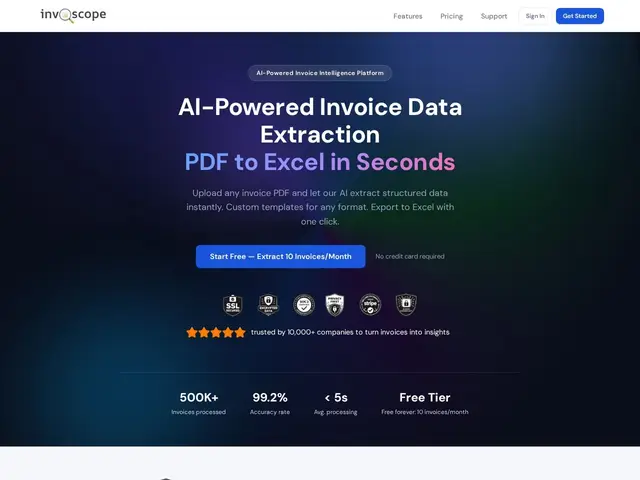
Description
Anyone who has ever had to manually re-type numbers from a stack of PDF invoices into a spreadsheet knows how tedious and error-prone that job is. Invoscope automates exactly that: you upload invoice PDFs and it reads the vendor, line items, totals, and dates, then hands you back structured data in Excel — like having a very fast, very patient data-entry assistant who never mixes up a decimal point.
Under the hood, Invoscope uses AI document extraction rather than rigid OCR templates, which lets it handle invoices that don't share a common layout — a real pain point for small finance teams that receive PDFs from dozens of different vendors, each formatted differently. It also supports custom templates for recurring invoice formats to speed up repeat processing. There's no published integration story (no direct QuickBooks/Xero sync mentioned), so today it's best understood as a one-way PDF-to-Excel converter rather than a full AP automation suite.
💬 Our review
The short version: if your only pain point is turning invoice PDFs into spreadsheet rows, Invoscope does that one job well and lets you try it free before paying anything — just don't expect a full accounts-payable workflow around it.
Invoscope sits in a narrow but real niche between "just use ChatGPT to read a PDF" and full accounts-payable platforms like Ramp, Brex, or Docyt that bundle card spend, approvals, and ERP posting on top of extraction. If all you need is the extraction step — invoice in, spreadsheet out — Invoscope is cheaper to adopt than a full AP suite and has a genuinely free tier (10 invoices/month, no card) to test accuracy on your own vendor mix before committing. The catch is that paid pricing beyond the free tier isn't published, so you can't budget for it without contacting them, and there's no visible integration with accounting software, meaning you'll still be importing that Excel file into QuickBooks or Xero by hand. Worth trying for a small team with irregular invoice volume; not a fit if you want end-to-end AP automation.
📊 Global score
🤖 AI-enriched data
Gratuit jusqu'à 10 factures/mois, sans carte bancaire ; tarifs payants au-delà non publiés
Pros
Gère des factures sans template commun grâce à l'extraction IA
Offre gratuite réelle (10 factures/mois, sans CB) pour tester la précision
Export Excel en un clic
Support de templates personnalisés pour les factures récurrentes
Cons
Tarification au-delà du gratuit non publiée
Pas d'intégration comptable visible (QuickBooks, Xero)
Reste un convertisseur PDF→Excel, pas une suite AP complète
Pas d'historique vérifiable de la société (date de lancement inconnue)