Lemonade Password Manager
A password manager built by a developer, for developers — it stores your regular logins alongside the messier stuff, like .env files and API keys, that most password managers weren't really designed to hold.
🔗 Visit Lemonade Password Manager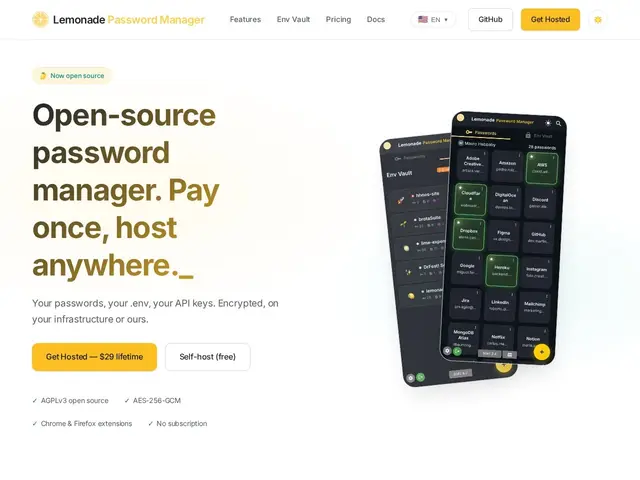
Description
Consumer password managers are built around website logins, and stretch awkwardly to cover a developer's actual daily secrets — .env files, API keys, deployment credentials — often through clunky "secure notes" workarounds. Lemonade was built by an independent developer specifically to close that gap: one vault for passwords and for the secrets developers juggle across projects.
Lemonade Password Manager uses AES-256-GCM encryption and adds an "Env Vault" designed to hold environment variables and API keys the way it holds passwords, plus TOTP two-factor codes with a QR scanner, emergency access, and browser extensions for Chrome and Firefox. It's fully open source under the AGPLv3 license, meaning anyone can self-host it for free and audit the code. For people who'd rather not run their own instance, a hosted version is available for a one-time $29 lifetime payment — a deliberate departure from the subscription model most password managers (1Password, Bitwarden's premium tiers) use. It's aimed squarely at developers, designers, and technical freelancers who want one place for both personal credentials and project secrets.
💬 Our review
The short version: if you're a developer tired of juggling .env files, API keys, and passwords across three different tools (or copy-pasting secrets into Slack), Lemonade's combined vault and one-time-payment pricing are a genuinely good fit — the tradeoff is a smaller team and shorter track record than the established players.
Against Bitwarden and 1Password, Lemonade's pitch isn't "more secure" (both established competitors use similarly strong encryption and have far more security audits behind them) — it's "better shaped for developer secrets" and "no subscription." The $29 lifetime hosted option is a real standout in a category dominated by recurring billing, and being open source (AGPLv3) means the code is publicly auditable rather than a black box, which matters more for a password manager than almost any other software category. The honest caveat: Bitwarden already has a mature open-source ecosystem, a much larger audited codebase, and enterprise features Lemonade doesn't yet have — so this is the right pick for an individual developer or small team optimizing for cost and developer-workflow fit, not for an organization needing enterprise SSO/compliance features.
📊 Global score
🤖 AI-enriched data
Auto-hébergé : gratuit (open source AGPLv3) ; version hébergée : 29$ paiement unique à vie
Pros
Coffre unique pour mots de passe ET secrets développeur (.env, clés API)
Paiement unique à vie (29$) plutôt qu'un abonnement récurrent
Open source AGPLv3 — code auditable publiquement
Chiffrement AES-256-GCM, TOTP 2FA, extensions Chrome/Firefox
Cons
Équipe petite (développeur indépendant) et historique de sécurité plus court que Bitwarden/1Password
Pas de fonctionnalités entreprise (SSO, conformité) pour l'instant
Moins d'audits de sécurité publiés que les leaders établis
Écosystème d'intégrations plus restreint