Latenode
A workflow automation tool like Zapier, but with over a thousand AI models already plugged in — so instead of just moving data between apps, your automations can also draft, summarize, or decide things using AI without you managing separate API keys.
🔗 Visit Latenode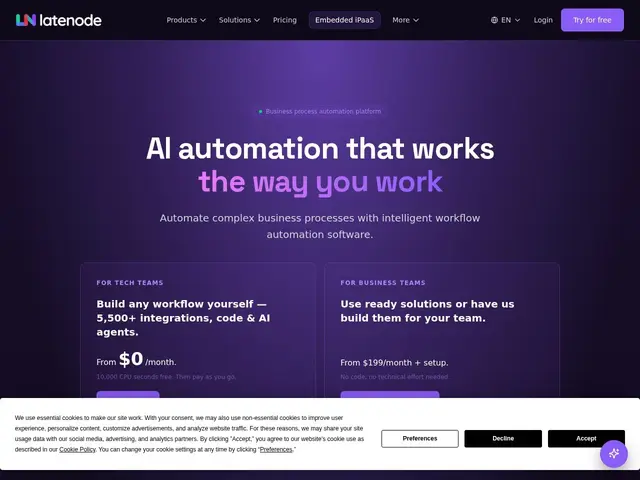
Description
Automation tools like Zapier are great at moving data between apps, but adding AI to a workflow usually means separately signing up for OpenAI or another provider, managing API keys, and writing custom code to glue it together. Latenode folds that step in: AI models are already built into the automation builder, so a workflow can call GPT-4o or Claude the same way it calls any other connected app.
Latenode is a workflow automation platform that connects applications and AI models through either a visual, no-code builder or custom code, aimed at automating processes like lead enrichment, content generation, document processing, and cross-system data integration. It offers 5,500+ pre-built integrations, direct access to 1,200+ AI models including GPT-4o, Claude and Gemini without separate API key management, and 500+ ready-to-deploy templates. It's used by both technical teams building automations independently and business teams opting for a managed service, across departments like marketing, sales, finance and supply chain. The company reports 10,000+ teams using the platform, over 10 million workflows executed, a 99.9% uptime SLA, and activity in 140+ countries.
💬 Our review
The short version: if you already like how Zapier or Make work but keep hitting a wall when you want to add AI to a workflow, Latenode's built-in access to 1,200+ models without separate API keys removes that specific friction.
Latenode competes directly with Zapier, Make and n8n, and its clearest differentiator is bundling AI model access into the core product rather than treating it as an add-on — genuinely useful if AI steps (summarizing, drafting, classifying) are becoming a regular part of your workflows. The usage-based pricing (CPU-seconds rather than a flat per-task count) can be more cost-effective for compute-light workflows but harder to estimate upfront than Zapier's simpler task-based pricing, so it's worth running a representative workflow through the free tier first to gauge actual cost. The managed service starting at $199/month plus setup fees is a real option for teams that want the automation without building it themselves, at a price point below hiring a dedicated automation consultant. Good fit for teams whose automations increasingly need an AI step baked in; if you rarely touch AI in your workflows, a simpler tool like Zapier may be easier to reason about.
💰 Pricing
📊 Global score
🤖 AI-enriched data
Gratuit : 10 000 secondes CPU/mois, 5 workflows actifs ; pay-as-you-go dès 10,80$ pour 100 000 secondes CPU ; service managé dès 199$/mois + frais de mise en place
Pros
1 200+ modèles IA (GPT-4o, Claude, Gemini) intégrés sans gestion de clés API
5 500+ intégrations prêtes à l'emploi et 500+ modèles de workflows
SLA de disponibilité 99,9%
Option de service managé pour les équipes non techniques
Cons
Facturation en secondes CPU, moins simple à estimer que le comptage de tâches de Zapier
Service managé avec frais de mise en place en plus de l'abonnement
Marché très concurrentiel (Zapier, Make, n8n)
Date de fondation non communiquée