Dadroit V Web
Drop a huge JSON file into your browser tab and browse it like a folder tree — nothing gets uploaded anywhere, so it's safe even for sensitive data.
🔗 Visit Dadroit V Web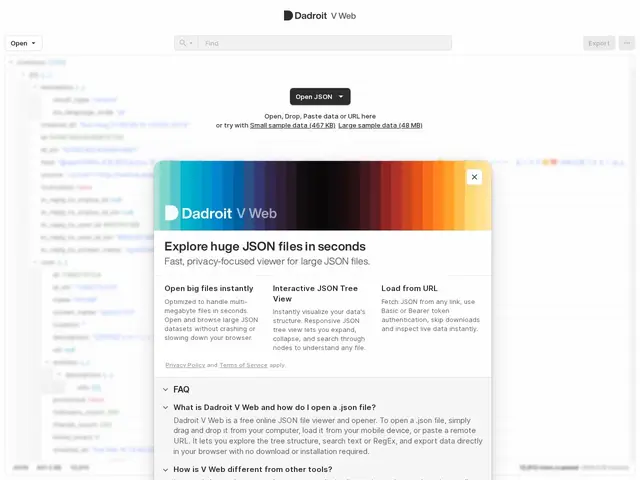
Description
Anyone who's worked with an API response or a data export knows the pain of opening a giant JSON file: text editors choke, and pasting it into an online "JSON viewer" often means uploading potentially sensitive data to someone else's server. Dadroit V Web solves both problems — it opens large JSON files directly in the browser tab, with the file staying on your machine the entire time.
Dadroit V Web is a free, in-browser JSON viewer that handles files entirely client-side, with no upload, no server round-trip, and no install. It offers a collapsible tree view, text and regex search, and export of full or partial JSON in formatted or minified form. Files can be opened from disk, pasted from the clipboard, or loaded from a URL — including authenticated endpoints via Bearer or Basic auth. It works on desktop, phone and tablet, and handles files up to 50MB in the browser; for larger files (the company's desktop app has been benchmarked reading up to 2GB/second and parsing 130M objects/second) there's a companion Dadroit desktop application for Windows, macOS and Linux, in the same product family since 2018. It also supports JSON-Lines/ndjson log formats and CSV/XML export.
💬 Our review
The short version: for a quick, safe look at a JSON file — especially one with data you don't want leaving your machine — Dadroit V Web does the job for free with zero setup, and the desktop app is there if you outgrow the 50MB browser limit.
The standout feature isn't speed, it's privacy: most free "JSON viewer" websites route your file through their server, which is a non-starter for anything containing customer or financial data, and Dadroit V Web avoids that entirely by processing everything client-side. It's a narrow tool by design — it doesn't edit or transform your data structurally, just view, search and export — so it competes more with browser extensions and built-in devtools JSON viewers than with full data-processing platforms. For genuinely huge files (hundreds of MB to GB range) you'll need the desktop app, which is a separate download. A solid, no-cost pick for developers who regularly inspect API payloads or log dumps and care about where that data actually goes.
💰 Pricing
📊 Global score
🤖 AI-enriched data
Entièrement gratuit, sans publicité
Pros
Traitement 100% côté client, aucune donnée envoyée à un serveur
Aucune installation nécessaire, fonctionne dans l'onglet du navigateur
Recherche texte et regex, export formaté ou minifié
Entièrement gratuit et sans publicité
Cons
Limité à 50 Mo en version web (au-delà, passer par l'app desktop)
Ne transforme pas structurellement les données, uniquement visualisation/recherche/export
Pas de collaboration ni de sauvegarde cloud (par conception, pour la confidentialité)