Quaso
An AI agent that watches your business tools (Slack, Gmail, your calendar, your CRM) and quietly takes action when something needs attention — instead of you checking ten apps to notice ten different things.
🔗 Visit Quaso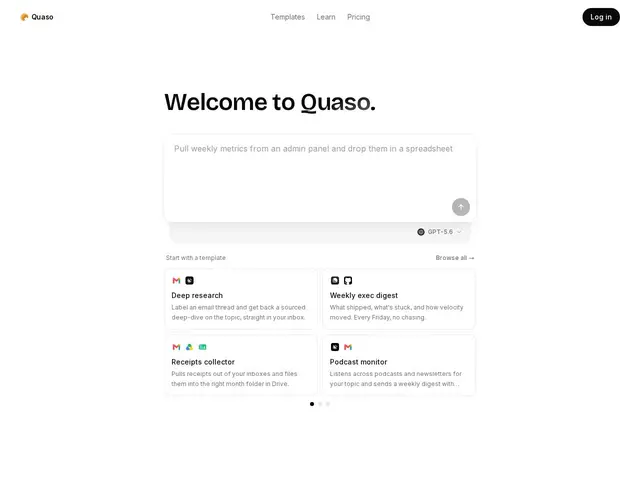
Description
A lot of busywork isn't hard, it's just distributed across too many apps: noticing a customer email needs a reply, prepping for a meeting that's about to start, catching an error before it becomes a support ticket. Quaso's job is to sit across those apps, notice the things that matter, and either alert you or handle them automatically, using pre-built templates rather than making you design an automation from a blank canvas.
Quaso connects to tools like Slack, Linear, Gmail, Google Calendar, HubSpot, Calendly, Sentry, and QuickBooks, then uses AI (built on OpenAI's models) to monitor data, synthesize information across those apps, and trigger automated actions and alerts. It ships with pre-built templates for common workflows — meeting preparation, error tracking, subscription/expense management — and includes an agent web browser for tasks that need to interact with sites directly. Pricing is credit-based: Free (3,000 one-time credits), Hobby at $20/month (4,000 credits/month), Pro at $100/month (20,000 credits/month), and Custom plans from $250-$2,500/month (50,000 credits/month); there's no cap on how many agents you can run, since billing is based on actual runs rather than agent count.
💬 Our review
The short version: Quaso sits in the same space as Zapier or Make but with an AI layer doing the monitoring and decision-making instead of you building rigid if-this-then-that rules — useful if your workflows involve judgment calls ('is this email urgent?') rather than pure data routing.
Against Zapier specifically, Quaso's edge is that it doesn't just move data between apps on a trigger, it can analyze and decide, which matters for workflows like 'watch Sentry and tell me if this error pattern is actually serious.' The tradeoff shows up in the pricing model: run-based credits mean cost scales with actual usage rather than a flat monthly fee, which is fair for light use but can get unpredictable for a team running many agents continuously — the jump from Hobby ($20/month, 4,000 credits) to Pro ($100/month, 20,000 credits) is steep if your monitoring needs grow past casual. For teams that specifically want AI judgment layered onto their existing app stack rather than pure automation plumbing, it's a reasonable pick; for simple data-moving tasks, a cheaper pure-automation tool is still the better fit.
💰 Pricing
📊 Global score
🤖 AI-enriched data
Gratuit : 3 000 crédits ponctuels ; Hobby $20/mois (4 000 crédits/mois) ; Pro $100/mois (20 000 crédits/mois) ; Custom $250-$2 500/mois (50 000 crédits/mois). Remboursement possible sous 7 jours.
Pros
Couche IA qui analyse et décide, pas juste un routage de données
Modèles prêts à l'emploi (prépa réunion, suivi d'erreurs, abonnements)
Aucune limite sur le nombre d'agents — facturation à l'usage réel
Navigateur agent intégré pour interagir directement avec des sites
Cons
Coût imprévisible en usage intensif — le modèle à crédits punit la montée en charge
Saut de prix marqué entre Hobby ($20) et Pro ($100)
Moins pertinent que Zapier/Make pour du simple déplacement de données sans besoin de jugement IA