Moxie Docs
Documentation that writes and updates itself from your actual code — Moxie Docs reads your GitHub repo, generates docs a human can read and an AI agent can use, and opens a pull request whenever the code drifts from what's documented.
🔗 Visit Moxie Docs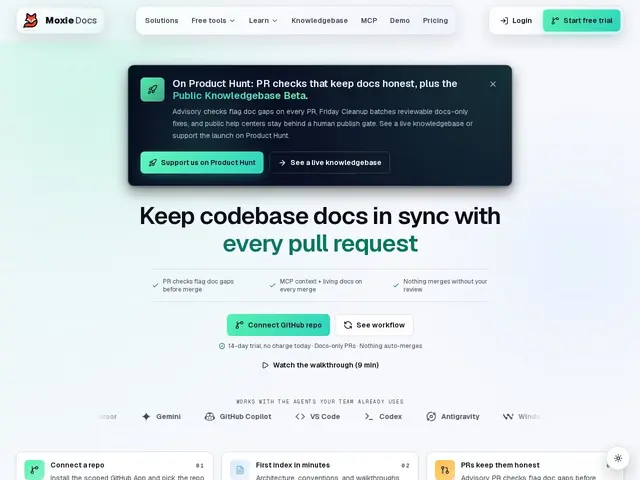
Description
Every developer has opened a docs page that describes how the code used to work, not how it works now. Moxie Docs tries to remove the human forgetfulness at the root of that problem: it reads your repository directly — the source, the tests, the docs, and the commit history — and keeps the documentation matched to what the code actually does, flagging or fixing the drift automatically instead of relying on someone to remember.
Installed as a GitHub App scoped to the repos you choose, Moxie Docs re-indexes on every merge, runs documentation-drift checks as part of your PR process, and produces architecture pages, conventions, and gap reports with citations back to the source. It also exposes that repository understanding to AI coding agents via the Model Context Protocol (MCP), so tools like Claude Code get grounded, accurate context about your codebase instead of guessing. A 'Friday Cleanup' feature opens automated, docs-only pull requests to catch anything that drifted during the week. It never commits to your code or merges anything itself — everything goes through review. Pricing: Starter $29/month or $290/year (5 repos, 1 seat), Pro $79/month or $790/year (15 repos, 10 seats), Team $199/month or $1,990/year (50 repos, unlimited seats), all with a 14-day free trial.
💬 Our review
The short version: for a team that's watched its docs quietly rot as the codebase moved on, Moxie Docs' pitch — tie documentation directly to the repo instead of trusting people to update it — targets the actual root cause rather than adding another wiki nobody maintains.
Against general wikis like Notion or Confluence, Moxie Docs' advantage is narrow but sharp: it's reading your actual code and tests to generate and verify docs, not waiting for a human to write them from memory. Against Swimm (a direct competitor doing something similar), Moxie Docs leans harder into the MCP/AI-agent-context angle, which matters increasingly as more teams have Claude Code or similar agents working in their repo and needing accurate grounding. At $29/month for 5 repos, Starter is reasonable for a small team, but the jump to Pro ($79/month for 15 repos) is where it gets pricier than a general wiki tool — the calculus really depends on how much you value docs staying automatically correct versus a cheaper tool where a human has to remember to update them.
💰 Pricing
📊 Global score
🤖 AI-enriched data
Starter $29/mois ou $290/an (5 repos, 1 siège) ; Pro $79/mois ou $790/an (15 repos, 10 sièges) ; Team $199/mois ou $1 990/an (50 repos, sièges illimités)
Pros
Documentation générée et vérifiée depuis le code réel, pas depuis la mémoire de quelqu'un
Contexte MCP pour agents IA (Claude Code et similaires)
Détection de dérive documentaire intégrée aux PR
Support de 15+ langages de programmation
Cons
Plus cher qu'un wiki généraliste dès le plan Pro
Limité à la doc technique liée au code — pas pour docs support/sales/RH
Ne commite ni ne merge rien lui-même, donc dépend toujours d'une revue humaine