AskCodi
An AI coding helper that lives in your editor and, in its newer 'AI CTO' mode, runs a small team of coding agents for you inside a Mac app — like having a junior dev team you manage instead of code you write line by line.
🔗 Visit AskCodi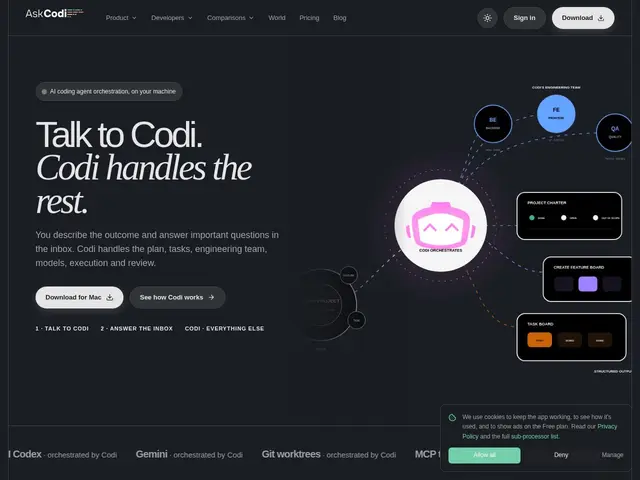
Description
For a solo developer or a small team, hiring a full engineering team isn't realistic — but AskCodi's newer positioning is to give you something adjacent: an AI 'CTO' that runs a coordinated team of coding agents on your behalf, alongside the more familiar AI coding assistant most people already know.
AskCodi provides in-editor AI assistance (code generation, autocomplete, debugging help, and explanations) with integrations for VS Code, PyCharm, and IntelliJ IDEA. Its more distinctive feature is an OpenAI-compatible orchestration layer: teams can compose their own 'virtual models' by layering prompts, reasoning steps, review, and guardrails on top of any underlying LLM, then use that same custom setup everywhere — IDE, chat, or backend — without retraining anything. The 'AI CTO' agent, called Codi, runs inside a dedicated Mac app and coordinates a team of agents on tasks rather than answering one question at a time.
💬 Our review
The short version: AskCodi is worth a look if the specific thing you want is either a straightforward in-IDE coding assistant or the newer 'orchestrate my own custom AI setup once, use it everywhere' layer — but the site is thin on the details (like pricing) that would make an easy comparison possible.
Against GitHub Copilot or Cursor, AskCodi's IDE assistant covers similar ground (generation, completion, debugging) without a clearly differentiated edge on that front alone — the 'virtual models' orchestration layer and the AI-CTO multi-agent Mac app are where it tries to stand apart, letting teams build a consistent, guardrailed AI behavior once and reuse it across tools instead of re-prompting from scratch everywhere. The honest catch: AskCodi doesn't publish clear pricing or plan details publicly, which makes it hard to judge value against Copilot's straightforward $10-19/month or Cursor's usage-based plans without signing up first — that opacity is worth factoring in before committing time to evaluate it.
💰 Pricing
📊 Global score
🤖 AI-enriched data
Aucune grille tarifaire claire trouvée sur le site public au moment de la rédaction
Pros
Couche d'orchestration compatible OpenAI pour composer des « modèles virtuels » réutilisables
Agent « AI CTO » qui coordonne une équipe d'agents plutôt qu'une seule réponse
Intégrations VS Code, PyCharm, IntelliJ
Cons
Tarification non publiée — difficile de comparer le rapport qualité-prix sans s'inscrire
Positionnement moins net que Copilot/Cursor sur la simple complétion de code
Peu d'informations vérifiables sur l'entreprise (année de fondation, financement)