Kodo
Describe a poster, slide deck or social graphic in plain English and Kodo hands you back a fully editable design — not just a flat image.
🔗 Visit Kodo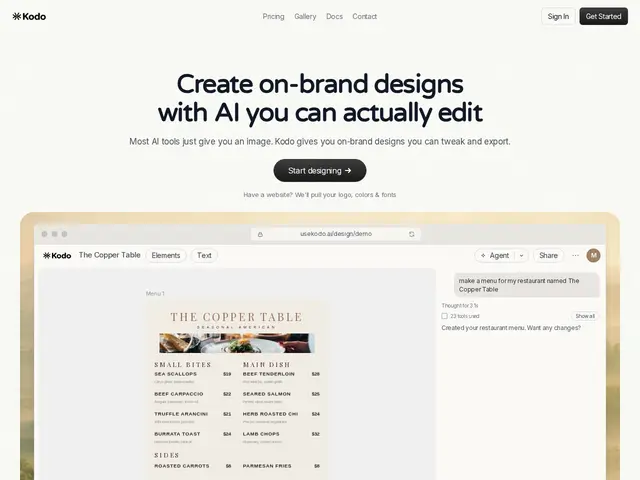
Description
Most AI image generators give you a pretty picture you can't actually edit — you can't move the text box or change one color without regenerating the whole thing. Kodo is built to solve that specific annoyance: it creates real, layered designs from a prompt, so you can click in and adjust exactly what you want afterward.
Kodo is an AI design tool that generates structured, layered designs — posters, presentations, menus, social graphics, business cards, flyers, invitations, infographics — from natural-language prompts, with full in-editor editing of text, colors, layout and spacing, plus brand extraction from URLs (logo, colors, fonts) and multi-format export (PDF, PPTX, PNG, JPG, DOCX). Pricing is credit-based: Free (40 credits), Starter $9/mo (300 credits) and Pro $29/mo (1,000 credits), with each design costing 4-12 credits depending on complexity.
💬 Our review
The short version: Kodo is worth trying if you've been frustrated by AI design tools that hand you a flat, uneditable image — its whole differentiator is that outputs stay fully editable afterward.
Against general AI image generators (Midjourney, DALL-E) Kodo trades some raw visual flexibility for structured, editable output — a fair trade if you actually need to tweak text or rebrand a design after generating it. Against dedicated design tools like Canva's AI features, Kodo's edge is speed and a chat-first workflow rather than a full design suite; Canva still has more templates and a bigger ecosystem. The credit system is reasonably transparent (4-12 credits per design, clear tier pricing) but means heavy users doing many revisions will burn through the $9 Starter tier fast — budget for Pro if you plan to iterate a lot.
💰 Pricing
📊 Global score
🤖 AI-enriched data
Free: 40 credits; Starter $9/mo: 300 credits; Pro $29/mo: 1,000 credits; each design costs 4-12 credits
Pros
Outputs are fully editable/layered, not flat images
Brand extraction from a URL (logo, colors, fonts)
Multi-format export (PDF, PPTX, PNG, JPG, DOCX)
Fast — designs generated in 1-2 minutes
Cons
Credit system can get expensive for heavy iteration
Smaller template/asset library than Canva
No disclosed company background or launch date
Less raw creative flexibility than pure image generators like Midjourney