Reap
A tool that takes a long webinar or interview recording and automatically cuts it into short, captioned clips ready for TikTok or Instagram — even dubbing them into other languages if needed.
🔗 Visit Reap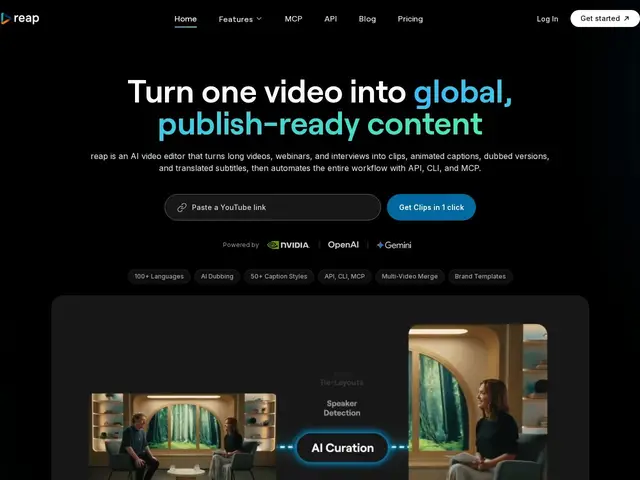
Description
Turning a one-hour podcast or webinar recording into a handful of punchy social clips is hours of manual work: finding the good moments, cutting them, adding captions, resizing for vertical video. Reap automates that whole chain — tell it what kind of moment you're looking for (a hook, a key insight) and it finds, clips, captions and reformats it for you, and can even dub it into another language.
Reap is an AI video editing platform aimed at creators, agencies and developers, built around prompt-first clipping (find clips by intent or topic rather than manual scrubbing), 50+ animated caption presets, automatic speaker detection and reframing for vertical formats, AI B-roll insertion, and one-click publishing to TikTok, Instagram, YouTube, LinkedIn, Facebook and X. It supports 100+ languages for captions and 80+ for dubbing, including several romanized formats (Hinglish, Romanized Urdu, Arabizi). It also offers API, CLI and MCP integrations for developers wanting to automate the pipeline programmatically.
💬 Our review
The short version: Reap is worth it the moment you're regularly turning long recordings into short social clips by hand and wasting hours doing it — the prompt-first clip-finding is the actual time-saver.
Finding clips 'by intent' rather than scrubbing through a timeline is the meaningful edge over more manual AI clippers — instead of hoping the algorithm guesses your best moments, you can ask for a specific type of moment. The dubbing and translation support (80+ languages, with romanized variants for markets like India and Egypt) is unusually deep for a tool in this price range, and the API/CLI/MCP access is a real plus for anyone wanting to bolt this into an automated content pipeline rather than clicking through a UI each time. The honest caveat: the free tier's 1 hour/month of clipping is only enough to seriously trial the tool, not to run a real content operation, and competitors like Opus Clip and Vidyo.ai operate in the same territory with broadly similar pricing — the deciding factor for most people will be caption style preference and language coverage rather than a clear capability gap. At $9.99-29/month depending on volume, it's cheap relative to the editing time saved for anyone posting short-form content regularly.
💰 Pricing
📊 Global score
🤖 AI-enriched data
Free: 1h/month clipping + 1h/month captions (watermarked, 720p). Creator: $9.99/month (10h/month, 1080p, dubbing/translation). Studio: $29/month (20h/month, 4K, 5h dubbing/translation, 3-user team). Enterprise: custom, unlimited hours. 40% off annual billing.
Pros
Prompt-first clip finding by intent, not manual scrubbing
Deep language coverage: 100+ caption languages, 80+ dubbing languages
API, CLI and MCP access for automated pipelines
One-click publishing across 5+ social platforms
Cons
Free tier (1h/month) only enough to trial, not to run real content ops
Broadly similar capability to Opus Clip / Vidyo.ai — differentiation is incremental
Watermarked and capped at 720p on the free tier