ChatCut
A video editor you talk to instead of clicking through — describe the edit you want in a sentence, and it finds the moment, adds captions or graphics, and puts it together.
🔗 Visit ChatCut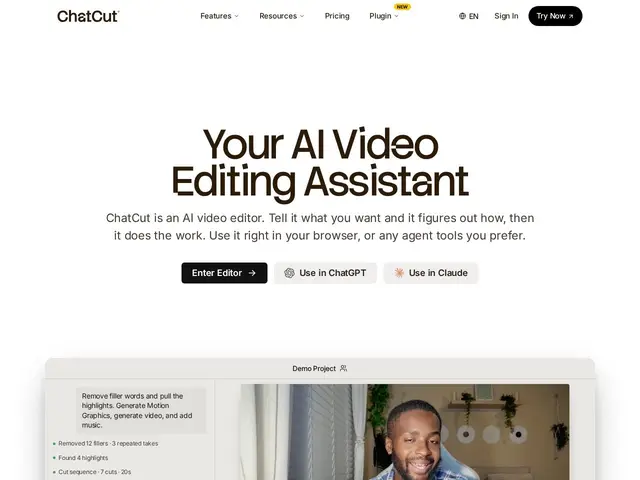
Description
Traditional video editing software gives you a timeline and a thousand buttons, which is powerful but slow to learn. ChatCut flips that around: you tell it in plain language what you want — 'find the funniest moment and add bold captions' — and it does the editing itself, including finding highlights, generating motion graphics, and even creating royalty-free background music.
ChatCut is a prompt-based AI video editor for content creators, combining automatic highlight detection, transcript-based editing for talking-head videos, auto-captions in 100+ languages with 20+ style presets, AI-generated motion graphics (charts, timelines, chapter cards), AI image/video generation for B-roll, and royalty-free AI music generation. It integrates with ChatGPT and Claude, and targets creators who want a full edit produced from a description rather than manual timeline work.
💬 Our review
The short version: ChatCut is for someone who'd rather describe an edit than perform it — the AI motion graphics and music generation go further than most 'auto-caption' style competitors.
What stands out versus simpler auto-captioning tools is the range of things it generates beyond captions: actual motion graphics like charts and chapter cards, and royalty-free music, meaning fewer trips to separate tools for b-roll or a soundtrack. Transcript-based editing (cut by editing the text transcript rather than scrubbing video) is also a genuinely faster workflow for talking-head content specifically. The honest caveat: prompt-based editing still requires trusting the AI's judgment on 'what's funny' or 'what's a highlight,' and results will need review rather than blind publishing, same as any AI editor at this stage; and at $25-100/month depending on credits, it sits in a similar price band to Reap and Opus Clip without an obvious standout advantage over either specifically for clipping — its edge is the extra generation features (graphics, music) rather than clip-finding itself. Worth it if you want fewer separate tools in your stack for b-roll and music; less so if clipping alone is your only need.
💰 Pricing
📊 Global score
🤖 AI-enriched data
Free: starter credits, no card required. Plus: $25/month (100 monthly credits). Pro: $100/month (400 monthly credits). Annual plans: 50% savings.
Pros
Prompt-based editing beyond just clipping: motion graphics and music generation included
Transcript-based editing, fast for talking-head content
100+ languages, 20+ caption style presets
ChatGPT and Claude integration
Cons
AI judgment on 'best moments' still needs human review before publishing
Similar price band to Reap/Opus Clip without a clear clipping-specific edge
Value depends on wanting the extra graphics/music features, not just clips