AutoMQ
Kafka-compatible streaming platform that runs diskless on cloud object storage (S3/GCS/Azure Blob), cutting Kafka's infrastructure cost sharply while keeping full API compatibility.
🔗 Visit AutoMQ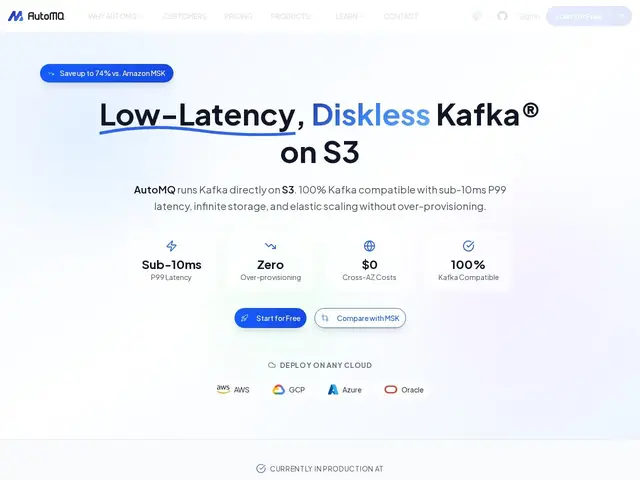
Description
Apache Kafka is the standard way apps stream data to each other in real time, but running it yourself means managing expensive disks, cross-availability-zone network fees, and manual capacity planning that never quite matches actual traffic. AutoMQ keeps everything that works about Kafka — the same API, the same client libraries — but replaces the disks underneath with plain, cheap cloud object storage, cutting the operational cost dramatically without anyone having to touch their existing Kafka code.
AutoMQ is a cloud-native, 100% Kafka-API-compatible streaming platform that writes data directly to S3, GCS or Azure Blob storage instead of local disks, using a stateless broker design. This diskless architecture enables instant failover and partition reassignment in seconds, eliminates cross-AZ data transfer costs, and claims up to 74% cost reduction versus Amazon MSK. It's open source (Apache 2.0, 10,000+ GitHub stars) with a managed cloud tier, and used in production by companies like Grab, Tencent and JD.com.
💬 Our review
The short version: AutoMQ is worth evaluating if you're already running Kafka and tired of paying for over-provisioned disks and cross-AZ network fees just to keep it available.
Because it's a drop-in replacement rather than a new protocol, teams keep every existing Kafka client, connector and tool — the switching cost is mostly operational, not a rewrite, which is a genuinely different proposition from adopting Redpanda or Pulsar (which require re-pointing to a different ecosystem). The core bet is that object storage is reliable and cheap enough to be Kafka's primary disk, a bet also being made by competitors like Bufstream and WarpStream — AutoMQ differentiates on being open source with a real self-hosted path, not just a managed SaaS. The honest caveat is that diskless Kafka architectures are still relatively new (all of these projects are a few years old at most), so teams with extremely latency-sensitive workloads should benchmark carefully rather than assume parity with disk-based Kafka; for most standard streaming workloads the cost savings are the more relevant story than the sub-10ms latency claims.
💰 Pricing
📊 Global score
🤖 AI-enriched data
Open source (Apache 2.0), free to self-host from GitHub. Managed service: 30-day free trial (no card), Pro tier from $300/month base plus usage (ingress $0.008-0.02/GiB, egress $0.00275-0.0067/GiB, retention $0.005-0.01/GiB, uptime $0.411/hour), Enterprise tier with 99.99% SLA at custom pricing.
Pros
100% Kafka API compatible — existing clients, connectors and tools keep working unchanged
Claims up to 74% cost reduction vs. Amazon MSK via diskless object-storage architecture
Open source (Apache 2.0) with 10,000+ GitHub stars and a genuine self-hosted path
Zero cross-AZ data transfer costs and automatic elastic scaling
Cons
Diskless Kafka architecture is still young — worth benchmarking for latency-critical workloads
Managed Pro tier starts at $300/month base before usage costs
Competing directly with well-funded alternatives (Redpanda, WarpStream, Bufstream) in a fast-moving space